Flipper Zero NFC Risk: What Teams Should Know
The real Flipper Zero NFC risk for security teams — what it can and cannot clone, MIFARE Classic weaknesses, access-control detection, and credential hardening.

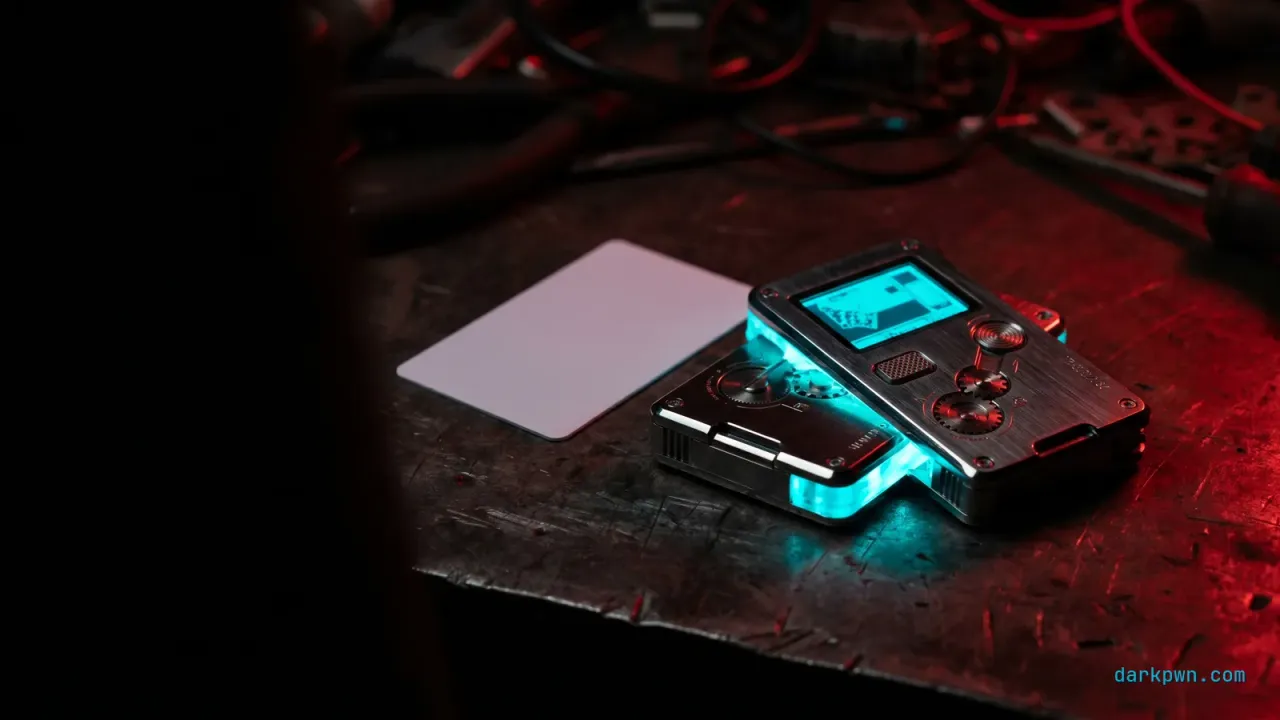
The Flipper Zero NFC risk is real but specific: it trivially clones legacy and default-key access cards, and it is decisively stopped by modern credentials. The mistake security teams make is reacting to the meme (“a toy that opens any door”) instead of the facts. A Flipper clones 125 kHz HID Prox and MIFARE Classic cards on default keys in seconds — but DESFire, iCLASS SE, and mobile credentials defeat it, and many readers detect the clone. This guide separates the hype from the threat model and ships the detection and hardening.
The device is a hardware addition to your physical-security perimeter, which maps to MITRE ATT&CK T1200 — Hardware Additions. The defensive question is not “can it clone a card” but “which of our cards, and what do we do about it.”
What is the actual Flipper Zero NFC risk?
The Flipper Zero is a pocket multi-tool with NFC (13.56 MHz) and RFID (125 kHz) radios, among others. Its NFC risk to an organization is credential cloning: reading a badge and writing it to a blank (“magic”) card or emulating it. Whether that works depends entirely on the credential technology — which is why the threat model, not the tool, is what matters.
It is the same lesson as HackRF defensive RF awareness: the device exposes weak controls you already had. A Flipper that clones your badge is telling you the badge was clonable.
What can a Flipper Zero actually clone?
| Credential | Clonable with a Flipper? | Why |
|---|---|---|
| 125 kHz (HID Prox, EM4100, Indala) | Yes, trivially | No encryption — just a readable ID |
| MIFARE Classic (default keys) | Yes, in under a minute | CRYPTO1 is broken; default keys via dictionary |
| MIFARE Classic (custom keys) | Partial / needs Proxmark3 | Encrypted sectors require key-cracking attacks |
| MIFARE DESFire EV1/EV3 | No (without keys) | Strong AES-based mutual authentication |
| iCLASS SE / Seos / mobile creds | No | Modern crypto + reader anti-cloning |
The pattern is clear: legacy and default-key cards fall instantly; modern cryptographic credentials hold. As the peer-reviewed research on the device concludes, its capabilities “coexist with effective barriers such as rolling-code and modern crypto.”
How to detect access-card cloning
A cloned card is identical to the original at the reader, so detection lives in the access-control logs — the same behavioral approach as broken access control detection, applied to physical doors.
index=physical sourcetype=access:badge
| sort 0 credential_id _time
| streamstats current=f last(reader_id) AS prev_reader last(_time) AS prev_time by credential_id
| eval gap=_time-prev_time
| where reader_id!=prev_reader AND gap < 30
| table _time, credential_id, prev_reader, reader_id, gap
The same credential badging at two physically distant readers within 30 seconds is a person who cannot exist — a clone, a tailgater, or a shared badge. Tune the gap to your facility’s real travel times. Also alert on badge use at impossible hours and a credential appearing at a reader it has never used.
If a Flipper is used in BadUSB mode against a workstation (it has a USB HID radio too), the endpoint signal is the same as a USB Rubber Ducky:
title: New HID Keyboard Device Attached Followed by Rapid Input
id: 7a2c9e15-darkpwn-illustrative
status: experimental
logsource:
  category: driver_load
  product: windows
detection:
  selection:
    DeviceClass: 'HIDClass'
    DeviceDescription|contains: ['Keyboard']
  timeframe: 10s
  condition: selection
falsepositives:
  - Legitimate new keyboards/KVMs (allowlist known device IDs)
level: mediumHow to audit your own access control
In an authorized physical-security review:
- Inventory credential technology at every reader — frequency and card type.
- Flag every 125 kHz and MIFARE Classic reader; these are the clonable population.
- Test default-key exposure on MIFARE Classic with authorized tooling (the card should not read on default keys).
- Verify reader anti-cloning — confirm modern readers reject emulated/cloned credentials.
How to harden access control against cloning
- Rolling codes / dynamic authentication beat any static, replayable credential.
- Multi-factor at sensitive doors (badge + PIN/biometric) so a cloned card alone fails.
- Tie badge logs to the SIEM for the impossible-travel detection above.
Common access-control mistakes
- Reacting to the device, not the credential. Banning Flippers does nothing; your card technology is the control.
- Leaving default keys on MIFARE Classic — the single most common cloning enabler.
- No access-log monitoring. Cloning is only visible downstream.
- Assuming “13.56 MHz = secure.” MIFARE Classic is 13.56 MHz and broken; the crypto matters, not the frequency.
Flipper Zero NFC risk checklist
- Inventory credential technology at every reader; flag 125 kHz and MIFARE Classic.
- Eliminate default MIFARE Classic keys immediately.
- Migrate legacy/default-key credentials to DESFire EV3, iCLASS SE, or mobile.
- Deploy readers with anti-cloning detection; add MFA at sensitive doors.
- Forward badge logs to the SIEM; alert on impossible-travel and off-hours use.
- Alert on first-seen-reader anomalies per credential.
- Treat a Flipper used as BadUSB like any HID-injection threat on endpoints.
- Run periodic authorized access-control audits.
The takeaway
The Flipper Zero NFC risk is a credential-technology problem wearing a viral-gadget costume: legacy and default-key cards fall, modern cryptographic credentials hold. Migrate the credential, eliminate default keys, and watch the access-control logs for impossible-travel clones. Continue with Proxmark3 RFID security and HackRF defensive RF awareness, or browse the full Hardware Security pillar.
Training & tools referenced
Disclosure: Some links below are affiliate links. If you buy through them, darkpwn may earn a commission at no extra cost to you. We only recommend training and tools we actually use in our own lab, and affiliate links never influence editorial coverage.
- Flipper ZeroThe multi-tool referenced here — useful for authorized access-control auditsLab HardwareCheck price
- TryHackMeAuthorized labs to build RFID and NFC security skillsSecurity TrainingStart training
Frequently asked questions
Can a Flipper Zero clone any access card?
No. A Flipper Zero trivially clones legacy 125 kHz cards (HID Prox, EM4100) and MIFARE Classic cards still using default CRYPTO1 keys. It cannot clone cryptographically secure credentials like MIFARE DESFire EV1/EV3, iCLASS SE, or mobile credentials without the keys, and many modern readers detect cloned or emulated cards.
Why is MIFARE Classic insecure?
MIFARE Classic uses the CRYPTO1 cipher, broken years ago. Cards still on default keys can be read in under a minute via a dictionary attack, and the data written to a "magic" card. The defense is migrating to DESFire EV3 or AES-based credentials and eliminating default keys.
How do you detect access-card cloning?
Cloning is silent at the card, so detection lives in the access-control system: alert on the same credential used at two readers faster than a person could travel, badge use at impossible hours, or a UID appearing on a reader it has never used. Pair this with readers that perform anti-cloning checks.
Is the Flipper Zero a serious threat to my building?
It is a serious threat to legacy and default-key access control, which is most of the installed base — vendors estimate a large share of commercial keycards are clonable. It is largely stopped by DESFire/AES credentials, anti-cloning readers, and mobile credentials.
Keep reading
Proxmark3 RFID Security for Defenders
A defender's guide to Proxmark3 RFID security — auditing 125 kHz and MIFARE Classic credentials, detecting cloned badges, and migrating to DESFire EV3 and AES.
BadUSB Controls for Engineering Teams
BadUSB controls that survive contact with engineering teams — USB device control, HID allowlisting, USBGuard and WDAC, plus detection that does not block real work.
Evil Twin Access Points: Defensive Controls
Evil twin access point defenses for blue teams — detect rogue APs with a WIDS, why 802.1X server-cert validation and WPA3 matter, plus a captive-portal DNS signal.